One to One Photoshop tuition

Suggested topics

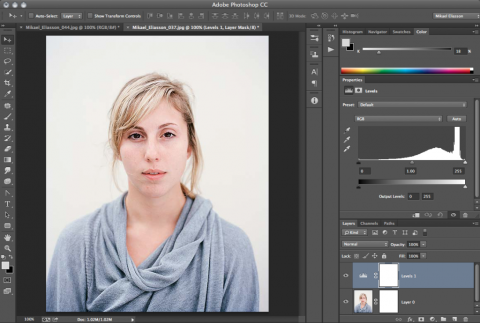
  • The Photoshop workspace
  • Tone & Colour Adjustments
  • Ways of undoing
  • History
  • Cropping & rotating
  • File formats & their strengths
  • Image size & Canvas size
  • Resolution
  • Basic Selections
  • Local correction
  • Basic Retouching
  • Layers and Adjustment Layers
  • Black & White conversions
  • Sharpening
  • Printing

  • Using Bridge
  • Custom Workspaces
  • Camera RAW Workflow
  • Batch processing
  • Keyboard shortcuts
  • Basic colour management – colour settings, colour spaces
     and ICC profiles
  • Working with adjustment layers
  • Opacity & Blend modes
  • Layer masks
  • Local & Selective corrections with Layer Masks
  • Managing layers & using groups
  • Levels & Curves in depth
  • Matching colour using eyedropper & curves
  • Retouching in layers
  • Sharpening techniques
  • Duotones
  • Resolution, resizing, bit depth
  • Actions
  •  

    Photoshop for Graphics

  • Layout design & production for web design
  • Cutting out and masking
  • Animation
  • image optimisation for web
  •  

    1 to 1 at our Shoreditch office /hrtotal

    Monday – Friday 10.00 – 18.00  1hr£89

       2hrs£149

       3hrs£199

       4hrs£259

       5hrs£319

       6hrs£389

    Full day  8hrs£459

    Monday – Friday 18.00 – 22.00  1hr £99

       2hrs £169

       3hrs £229

       4hrs£289

    Saturday 10.00 – 18.00  1hr £99

       2hrs £169

       3hrs£229

       4hrs £289

       5hrs £349

       6hrs £419

    Full day  8hrs £499

    Sundays 10.00 – 18.00   

    Price on request   

    One to Two tuition is charged at
    50% extra


    Book a session


    Gift Vouchers

    All our one to one tuition are available as personalised gift certificates. You can either specify a given amount of hours or a specified value.

    gift voucher

    Private Adobe Photoshop lessons and re-touching in Central London

    "It was good to be able to work on your own images with the tutor rather than set pictures. I think that helped you to relate and understand the work better, particularly as in my case, I had already tried my own attempts at post production on them earlier."
    Dave Peters


    one on one photoshop courses


    ★★★